


Ready-to-Use ASAP Example Projects
Explore ASAP’s capabilities with our library of completed simulation projects. Each downloadable file includes the full workflow (input structures, calculation parameters, and pre-computed outputs) so you can inspect how a project is set up, adapt it to your own system, and relaunch it much faster than building a calculation from scratch.
(Don’t have ASAP installed yet? Request ASAP Trial Access to open and run these examples).
How to open and run an example
- Download & Open: Select any project below to download the .asap file. Launch ASAP and click the Open folder icon (top-left of the toolbar) to load the file.
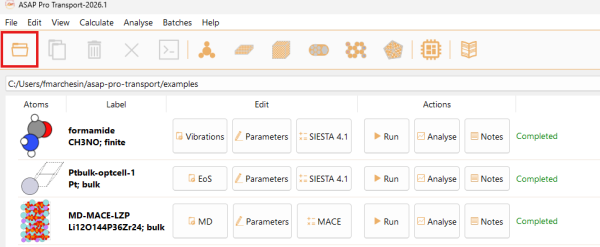
- Inspect or Modify: You can open any stage of the workflow to review the settings and analyse the results. If you modify a parameter, ASAP will warn you before resetting the simulation so you can relaunch it.
Several projects re-run on a single CPU in just a few minutes, while heavier systems require a parallel run (check each project’s details for estimated CPU times.
Need help navigating the interface? Access the user manual anytime via the book icon in the top toolbar or view the ASAP Online Documentation.
Projects


Ready to run these simulations on your own systems?
Request a 30-day evaluation license to test ASAP with these example projects or build your own workflows from scratch.